
You need super administrator access to complete this guide
You can't delete a location in Runwell, but you can deactivate it. Here is how.
Click Settings > Location settings > General and scroll all the way down.

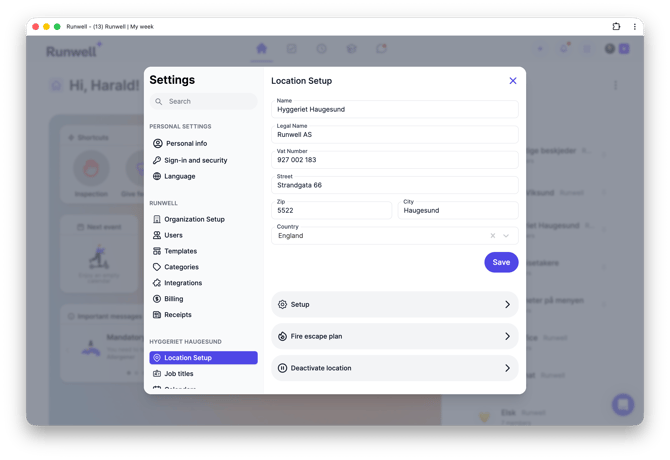
Then click deactivate. This has the following consequences:
-
No one has access to the location until it is activated again.
-
You stop paying for the location. If you have remaining time that you have paid for, it is added to your balance and deducted from your next payment.

To activate it again, click Activate location and everything is back as before.
If you run a seasonal restaurant, for example, you can deactivate it in the months you are closed to reduce your costs.