
Step-by-step
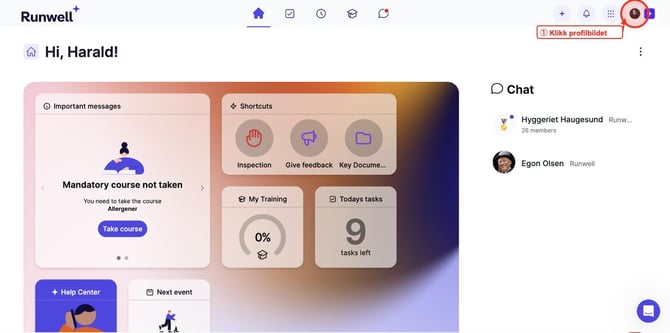
- Log in to Runwell and click your profile picture in the top right corner of the screen.
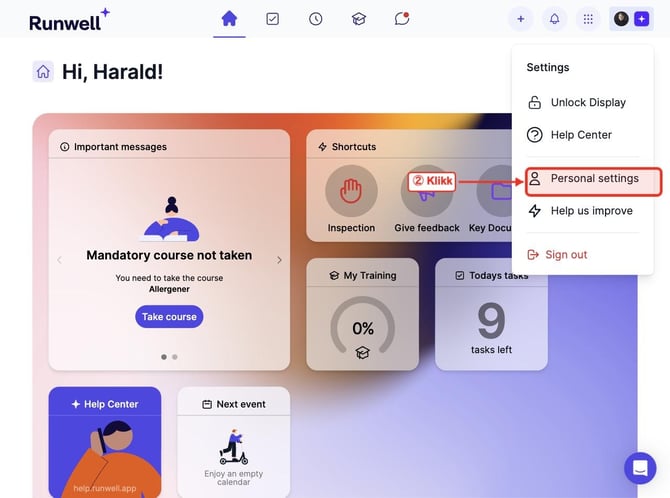
- A menu appears. Click Personal settings.
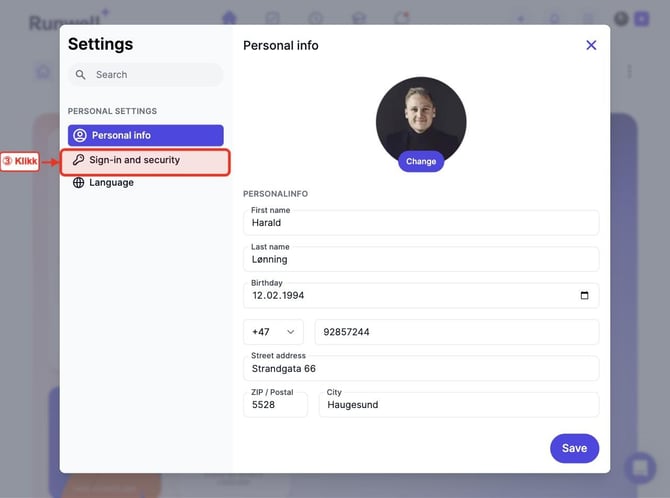
- The Settings window opens on Personal info. Click Sign-in and security in the left-hand menu.
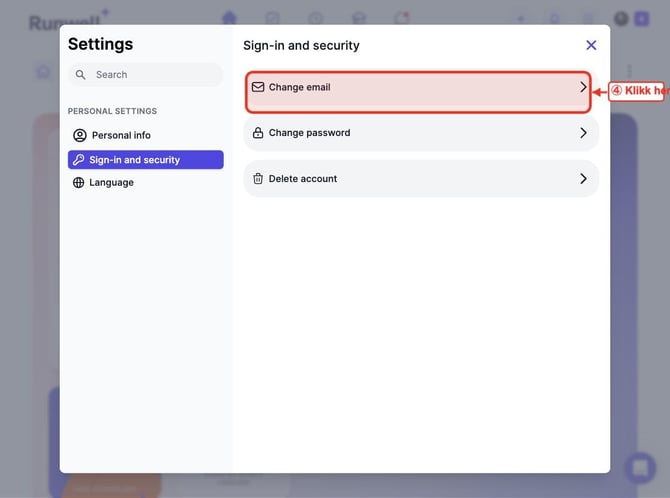
- Click Change email.
- Type your new email address in the New email address field.
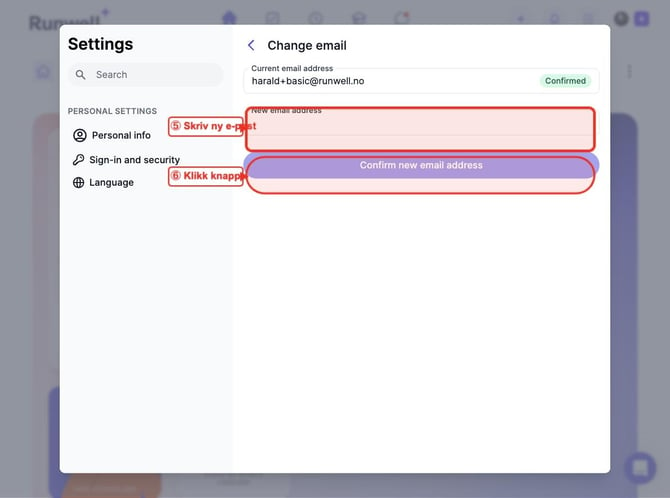
- Click Confirm new email address to save the change.
You will receive a confirmation email at your new address. Make sure to confirm it.
Tips
- Your new email address will be used to log in once you have confirmed it via email.
- Can't find the confirmation email? Check your spam or junk folder.