
We're continuously adding more Runwell modules you can connect to your documents. If you don't see exactly what you're looking for today, it's on its way.
What makes a Runwell document living is that it can pull in real data from the rest of Runwell — and stay up to date automatically as that underlying information changes. If you write the name of a key role in an org chart, for example, it always shows whoever actually holds that role today, no matter how often it changes.
Type > anywhere in the document to bring up the menu of everything you can connect.

From the menu you can add a key person (whoever currently holds a given key role), a task, or a risk assessment from Runwell. The content you choose updates in the document in real time — you don't need to do anything yourself when something changes elsewhere in Runwell.
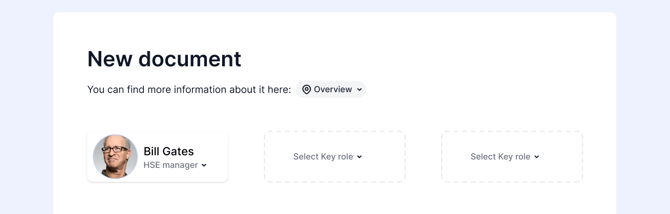
This is especially useful in documents like employee handbooks, org charts, and routine descriptions, where you'd otherwise have to update the text by hand every time an employee changes role or a routine is updated.
Don't hesitate to reach out to our customer service if you have any questions 🤩