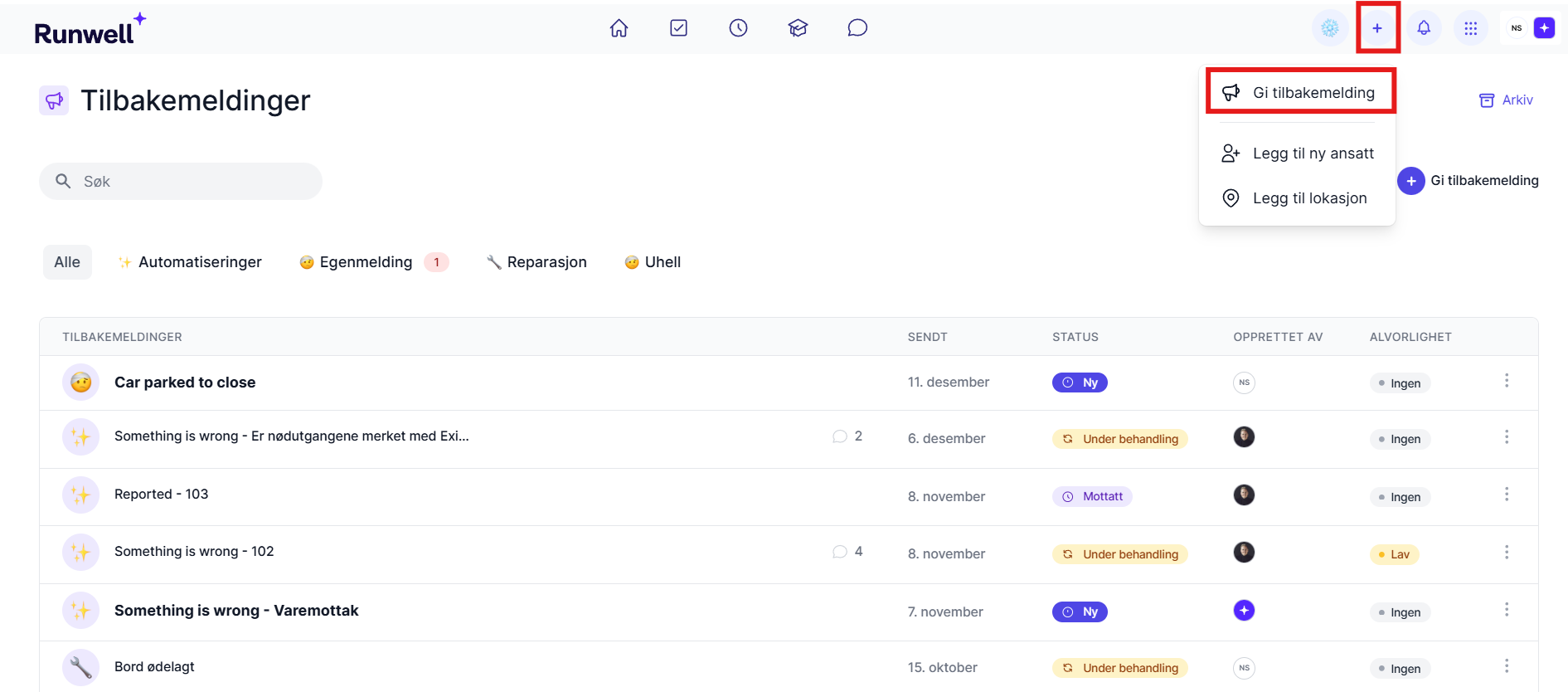
We recommend that you encourage your employees to give feedback (deviations). They do this by clicking the + icon in the top right corner and then Give feedback. Make sure all employees report faults and shortcomings, so you get a good overview of what needs fixing. You can easily change the status of a feedback item, which makes it easy to follow the process.
When employees know how to use this feature, they also know what to do when something goes wrong.
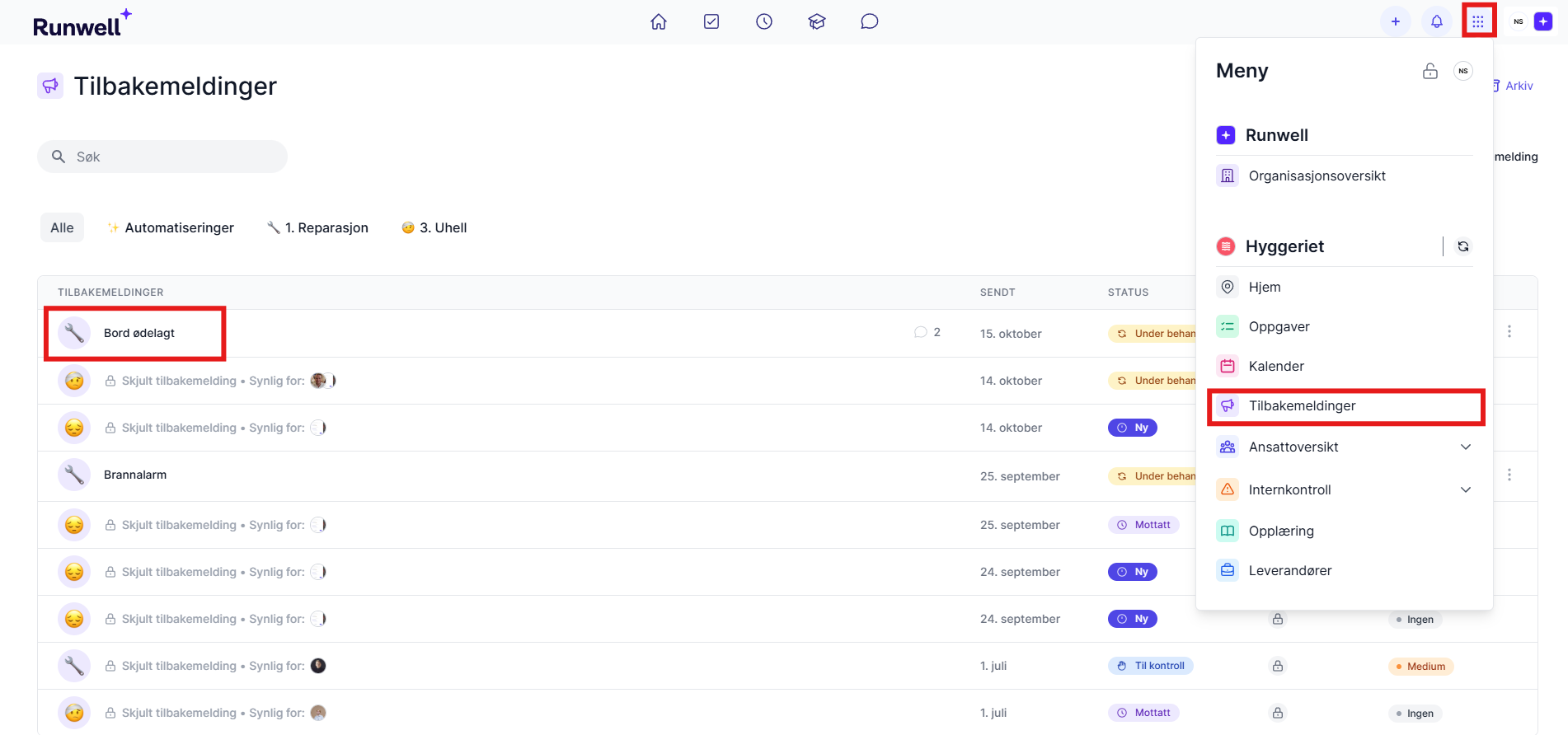
Handle feedback by clicking Feedback in the menu. You can then chat with the person who sent it, or turn it into a task and delegate it to the person responsible (see below). When the task is done, you can change the status to Handled.
Handled feedback is archived. You can find it again by clicking the Archive button in the top right.
🚨 Remember that you can also turn Feedback into a task. Employees report faults and shortcomings through Feedback, and everything that needs your attention is collected in the Feedback module. Go in, monitor the status of the Feedback, and turn it into a task that you delegate to the person responsible for fixing it.
-
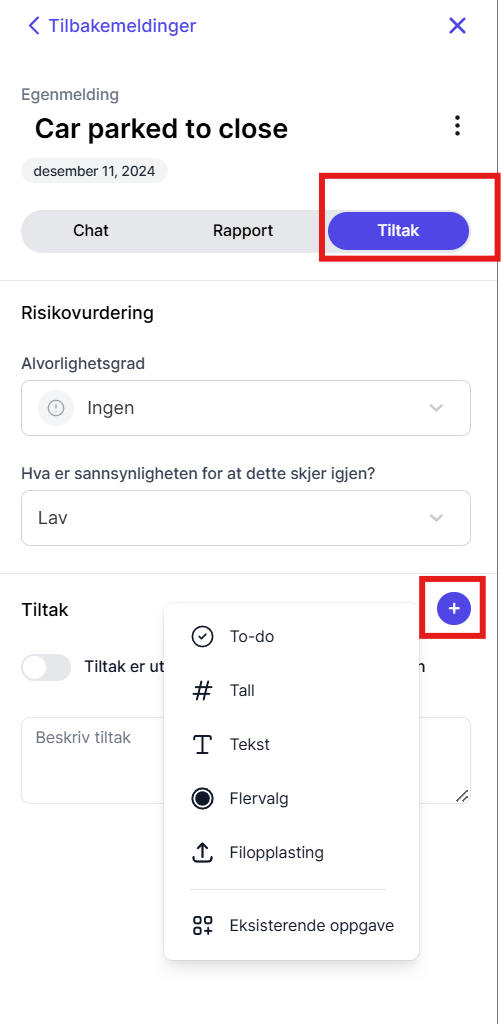
Click Actions in the horizontal menu of a Feedback item.
-
Click + and create a new task. It appears in the task list of the person responsible.