
This only applies to placeholders in Organization files that are shared as a Master, and requires organization-level access and Pro plan.
Need every location to upload its own version of a document — such as its own liquor license or fire safety plan — and want to see progress across locations at a glance? Use a placeholder turned into a Master.
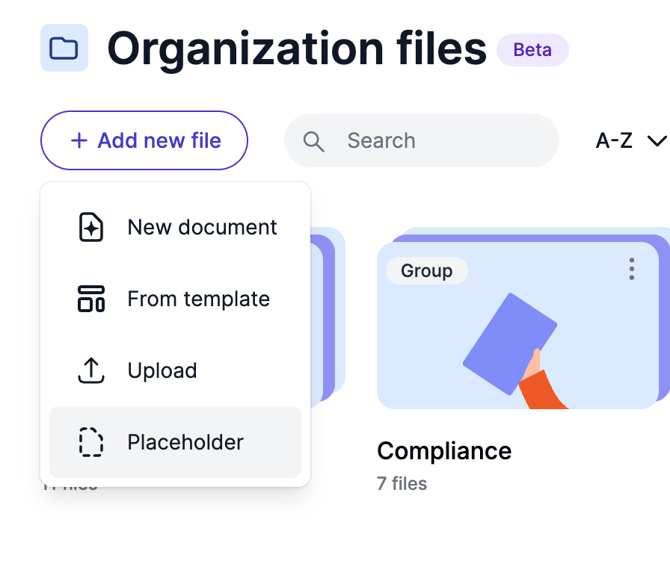
Go to Organization files, click Add new file, and choose Placeholder.
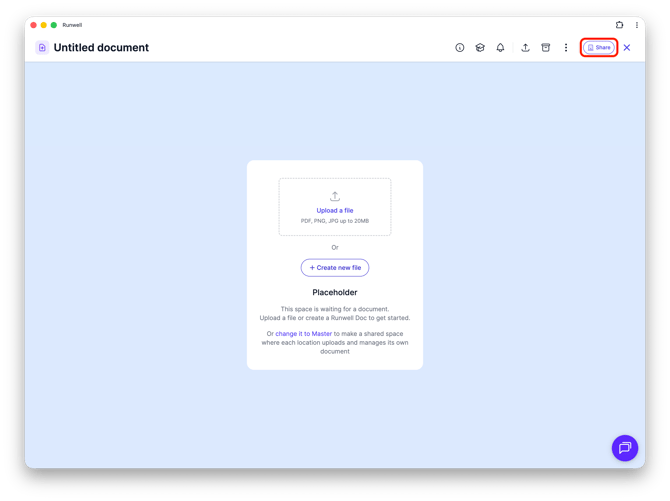
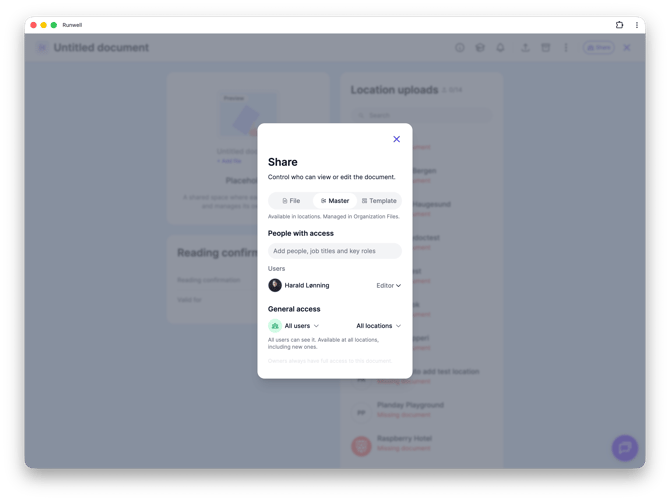
On the placeholder's page, click the make it a Master link, then choose which locations it should apply to under Share > Master.
The placeholder now gets its own card called Location uploads, with a counter showing how many locations have uploaded their document (for example "0/2"). Below the counter you'll see each location, with Missing document in red for the ones that haven't uploaded anything yet.
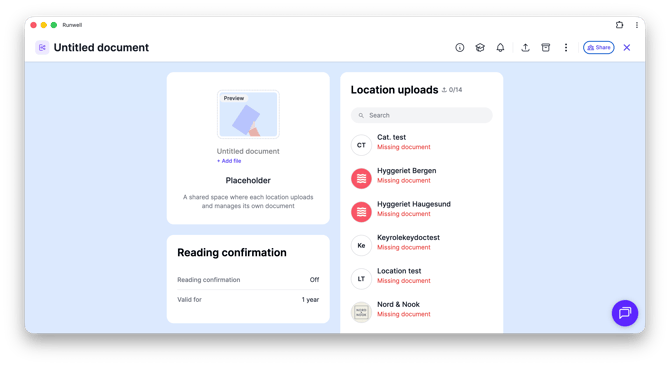
As soon as a location uploads its own document to the placeholder, the counter and status update automatically — there's nothing you need to check manually.
Don't hesitate to reach out to our customer service if you have any questions 🤩