
Haven’t tried automatic connection yet?
If you haven’t tried connecting automatically, we recommend doing that first. Read more
🏢 Owner access required
Step-by-step:
-
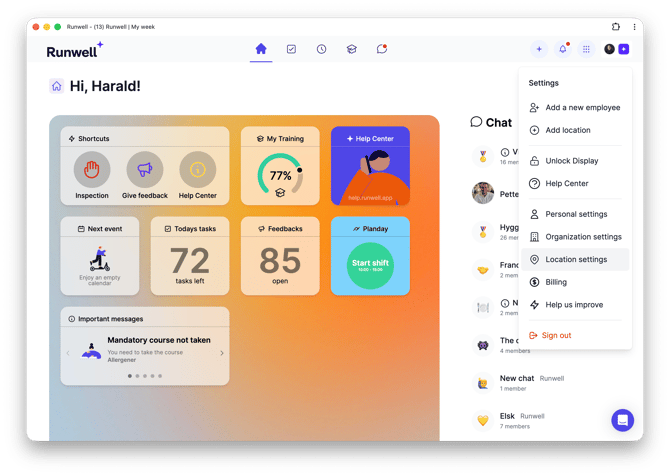
Go to Menu > Organization settings > Integrations, and select the Planday integration.
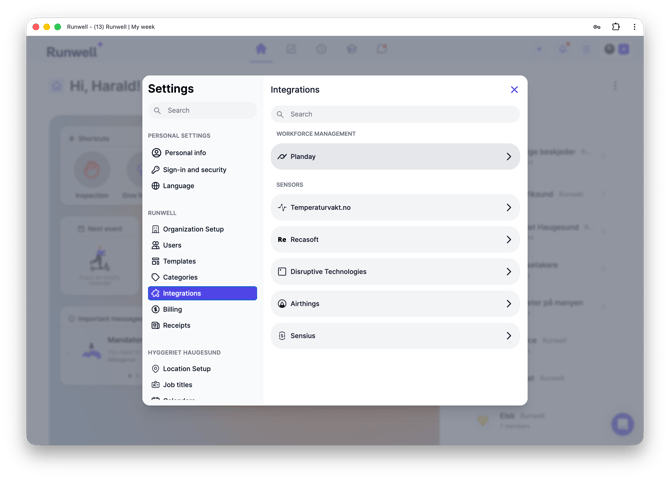
2. Click the dot-menu and select Manual Input

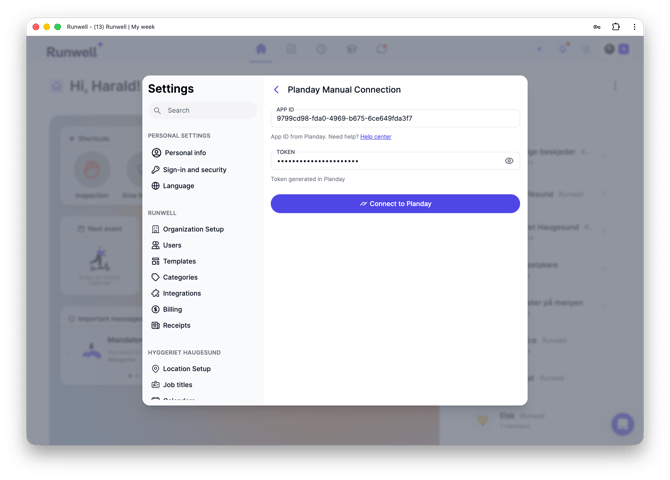
3. You’ll be asked to provide your App ID and Token.
4. In Planday, go to Settings > Integrations > Overview.
5. Click Connect under the Runwell section.

6. Click Generate credentials, review the access permissions, and then click Authorize.

7. Click the Runwell section again and copy the App ID and Token. Paste them into Runwell

8. Click Connect in Runwell and wait until it says Connected.
This will open access to department and user pairing.
