
When Runwell is connected to Planday, you choose which Planday features your employees get in Runwell. For example, you can turn off the punch clock but keep the shifts.
Planday must be connected to Runwell first. See Planday integration.
Open Settings and go to Integrations. Choose Planday and open Feature availability.
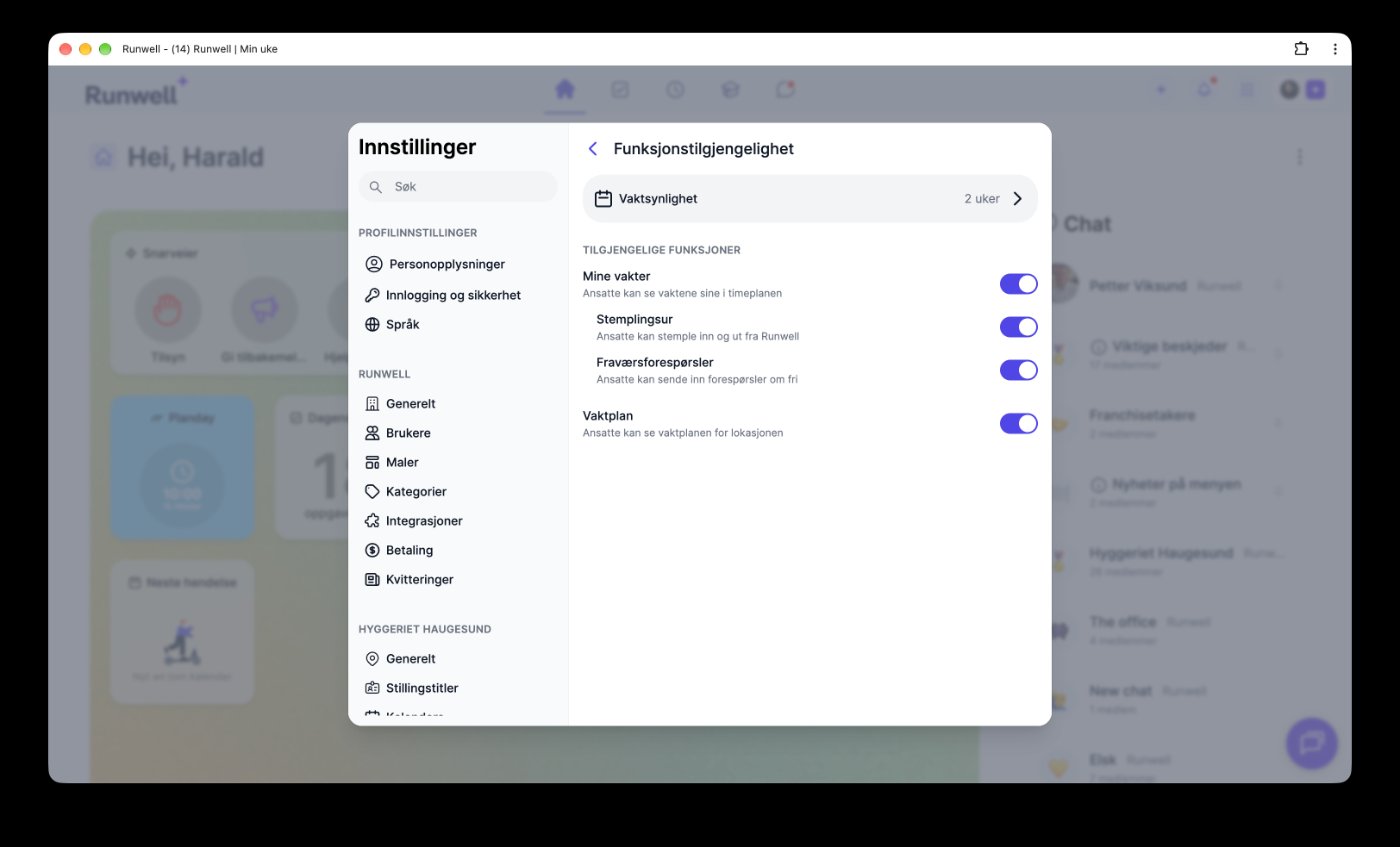
This is where you turn features on and off:
- My shifts: Employees see their shifts in the schedule.
- Punch clock: Employees can clock in and out from Runwell. This is part of My shifts.
- Absence requests: Employees can send requests for time off. This is also part of My shifts.
- Schedule: Employees can see the schedule for the whole location.
Under Shift visibility you choose how far ahead employees can see their shifts, for example 2 weeks.
If you want employees to clock in only in Planday, turn off Punch clock. The shifts are still shown in Runwell.
The screenshot shows the app in Norwegian. The settings are in the same place when Runwell is set to English.
Feel free to contact our customer service if you have any questions 🤩