
Hover over the message you want to react to. On mobile, press and hold the message until the reaction picker appears.
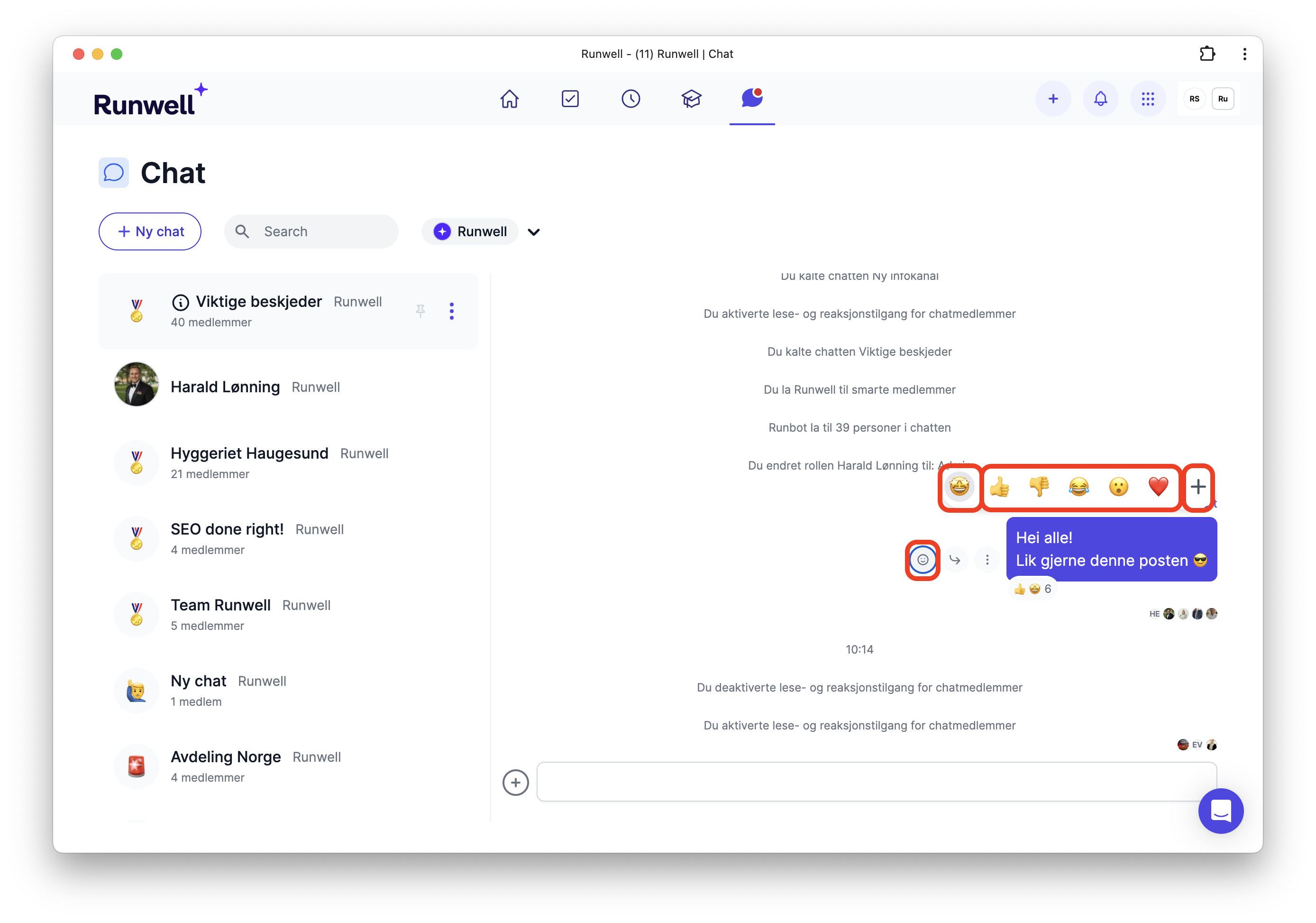
Choose one of the predefined emojis or click the plus to pick exactly the emoji you want.
When you have chosen an emoji, it gets a grey highlight around it, as shown on the 🤩 emoji.
Double-click for a thumbs up 👍
Double-click with the mouse, or double-tap with your finger on mobile, to give a thumbs up.