
You need edit access to the document to set a reminder.
Some documents need to be reviewed regularly — an agreement up for renegotiation, a license about to expire, or a routine that should be checked yearly. With Reminders, you notify editors in time, instead of having to remember it yourself.
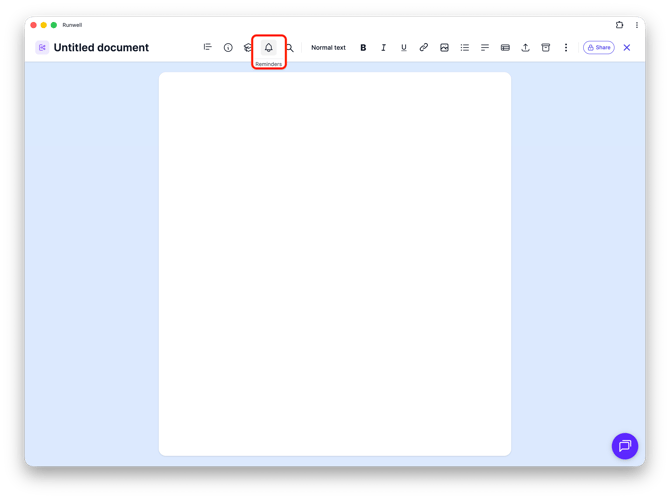
Open the document, and click the bell icon in the toolbar.
Set an expiry date, and feel free to add a short explanation in Note — for example what needs to happen, or who's responsible. Click Save.
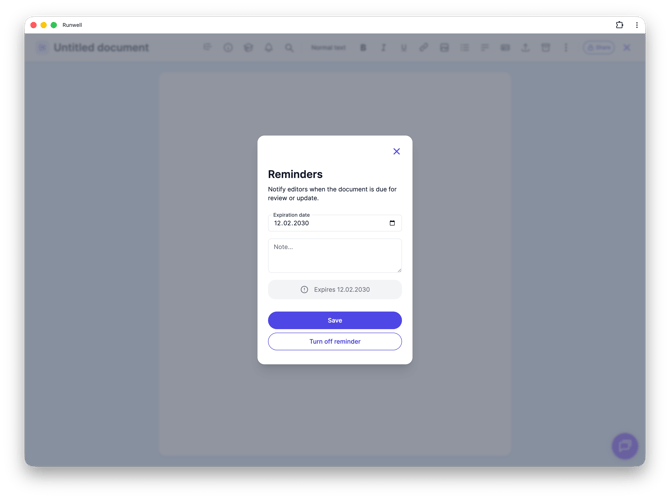
As long as no date is set, the window shows "No reminder set". If you've set a reminder before and want to change it, just open the window again and update the date or the note.
Don't hesitate to reach out to our customer service if you have any questions 🤩