
The Template Center is where you'll find ready-made document templates you can use directly in your own business, instead of starting completely from scratch.
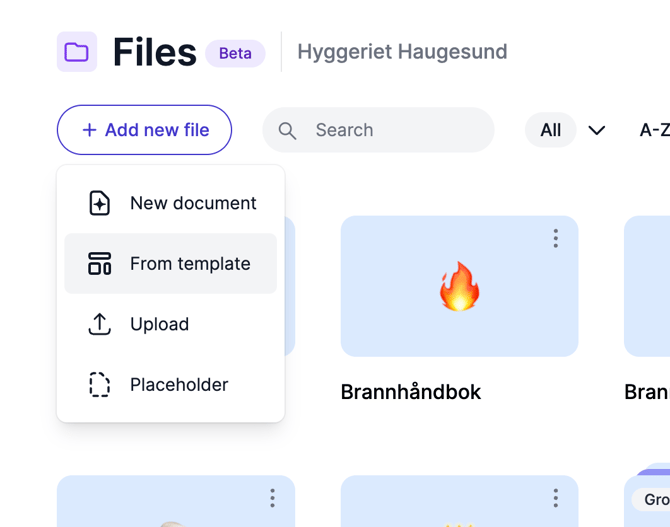
Go to Files or Organization files, click Add new file, and choose From template.
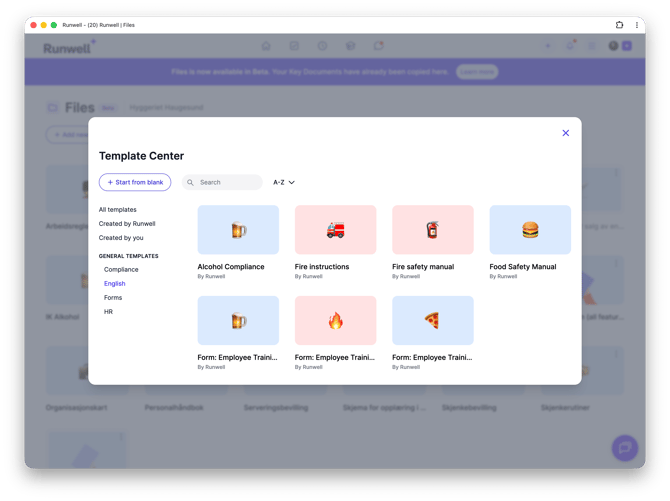
In the Template Center that opens, you can search for a template, sort the list alphabetically, or filter by All templates. If you don't find anything that fits, click Start from blank to begin a brand new document instead.
Once you pick a template, you get your own copy placed straight into the folder you started from. It's your own copy from that moment on — changes you make don't affect the original template, and updates to the original template don't affect your copy.
Templates here come from two places: templates Runwell itself has created (for example within food safety and liquor licensing), and templates your own organization has published. Want to add your own template to the Template Center? See the article on creating a template.
Don't hesitate to reach out to our customer service if you have any questions 🤩